
On Friday I wrote about funding open source without the bait and switch, and the analytics API in PR #5266 is the clearest example of the model in that post: an open seam anyone can plug into, with our paid implementation as one optional choice. This is the Monday follow-up that gets into how the API actually works.
The problem with the old service
Codename One shipped a single AnalyticsService wired to Google Analytics v1. You called AnalyticsService.init with your tracking id, and that was the whole story. One vendor, one protocol, baked into the framework.
That design has aged badly for two reasons. Google Analytics v1 itself is gone, so the integration points at a dead endpoint. And the API has no consent story at all. It starts reporting the moment you initialize it, which is exactly the behavior GDPR and CCPA make untenable. You cannot retrofit “ask the user first” onto an API whose only mode is “send everything now.”
So instead of patching the old service, the new code separates the three concerns that were tangled together: what you report, where it goes, and whether you are allowed to send it.
One facade, a provider SPI, a consent gate that runs first
Analytics is the facade your app calls. You register one or more AnalyticsProvider implementations against it, and it fans every screen, event, setUserProperty and crash call out to all of them. The important word is after: every reporting call passes through a consent check before any provider sees it.
opt-in by default"} B -->|granted| C["fan out to every registered provider"] B -->|denied| Z["nothing leaves the device"] C --> D["GoogleAnalyticsProvider (GA4)"] C --> E["MatomoAnalyticsProvider"] C --> F["FirebaseAnalyticsProvider"] C --> G["CodenameOneAnalyticsProvider"] style B fill:#1f6feb,color:#fff style Z fill:#6e7681,color:#fff
The gate is opt-in by default. Until the user grants the matching category, the facade silently drops reporting calls and no provider is invoked. The consent choice and the pseudonymous client id both persist in Preferences, so they survive restarts. The client id is not derived from any hardware identifier, and resetClientId() issues a fresh one to honor an erasure request.
Here is the consent-first ordering in code. Note that the provider is registered, but nothing is reported until consent arrives:
// Register providers up front -- still silent at this point.
Analytics.addProvider(new MatomoAnalyticsProvider("https://stats.example.com", 7));

// Opt-in is the default: this call is dropped because no consent is recorded yet.
Analytics.screen("Home", null);

// The user accepts your privacy prompt. Grant the categories you asked for.
Analytics.setConsent(AnalyticsConsent.builder()
        .analytics(true)
        .crashReporting(true)
        .build());

// Now reporting flows to every registered provider.
Analytics.screen("Home", null);
Analytics.event(AnalyticsEvent.create("purchase")
        .category("commerce")
        .param("sku", "abc-123")
        .param("value", 9.99)
        .build());
Consent is granular, not a single on/off switch. A user can allow crash reporting while declining behavioral analytics, and the facade honors each category independently. AnalyticsConsent.all() unblocks everything in one line if your app already collected consent through its own prompt or a consent-management platform. If the user later asks to be forgotten:
Analytics.resetClientId();   // new pseudonymous id, providers re-initialized
Analytics.setConsent(AnalyticsConsent.none());
The five providers, and mixing them
Five providers ship in the com.codename1.analytics package:
CodenameOneAnalyticsProviderbatches to the Codename One cloud; it is included with every paid subscription, and the tier sets your data-retention window.GoogleAnalyticsProviderspeaks the GA4 Measurement Protocol.MatomoAnalyticsProvidertargets a self-hosted, non-Google backend.FirebaseAnalyticsProviderroutes through the native Firebase SDK (Android via reflection, iOS via dynamic dispatch onFIRAnalytics); the builders inject the Firebase dependency only when you set theandroid.firebaseAnalytics/ios.firebaseAnalyticsbuild hints.LoggingAnalyticsProviderprints to the log for development.
Because the facade fans out to every registered provider, mixing them is just two addProvider calls:
Analytics.addProvider(new LoggingAnalyticsProvider());          // see it locally
Analytics.addProvider(new GoogleAnalyticsProvider("G-XXXX", "api-secret"));
Writing your own backend is small. Extend AbstractAnalyticsProvider, which gives every SPI method an empty body, and override only what you support:
public class CountingProvider extends AbstractAnalyticsProvider {
    private int events;

    @Override
    public String getName() {
        return "counting";
    }

    @Override
    public void trackEvent(AnalyticsEvent event) {
        events++;
        // event.getName(), event.getCategory(), event.getParameters() are all here.
    }

    @Override
    public boolean supports(AnalyticsCapability capability) {
        return capability == AnalyticsCapability.EVENTS;
    }
}
AnalyticsCapability lets a caller ask a provider what it actually honors (SCREEN_VIEWS, EVENTS, CRASH_REPORTING, FUNNELS, RAW_EXPORT, among others) instead of guessing.
The first-party backend: events, goals, and a console
CodenameOneAnalyticsProvider is the one provider that needs no third-party account. It batches events to the Build Cloud, where they show up in an analytics console next to your builds. An app appears on its own once it sends data, so there is no dashboard to provision first.
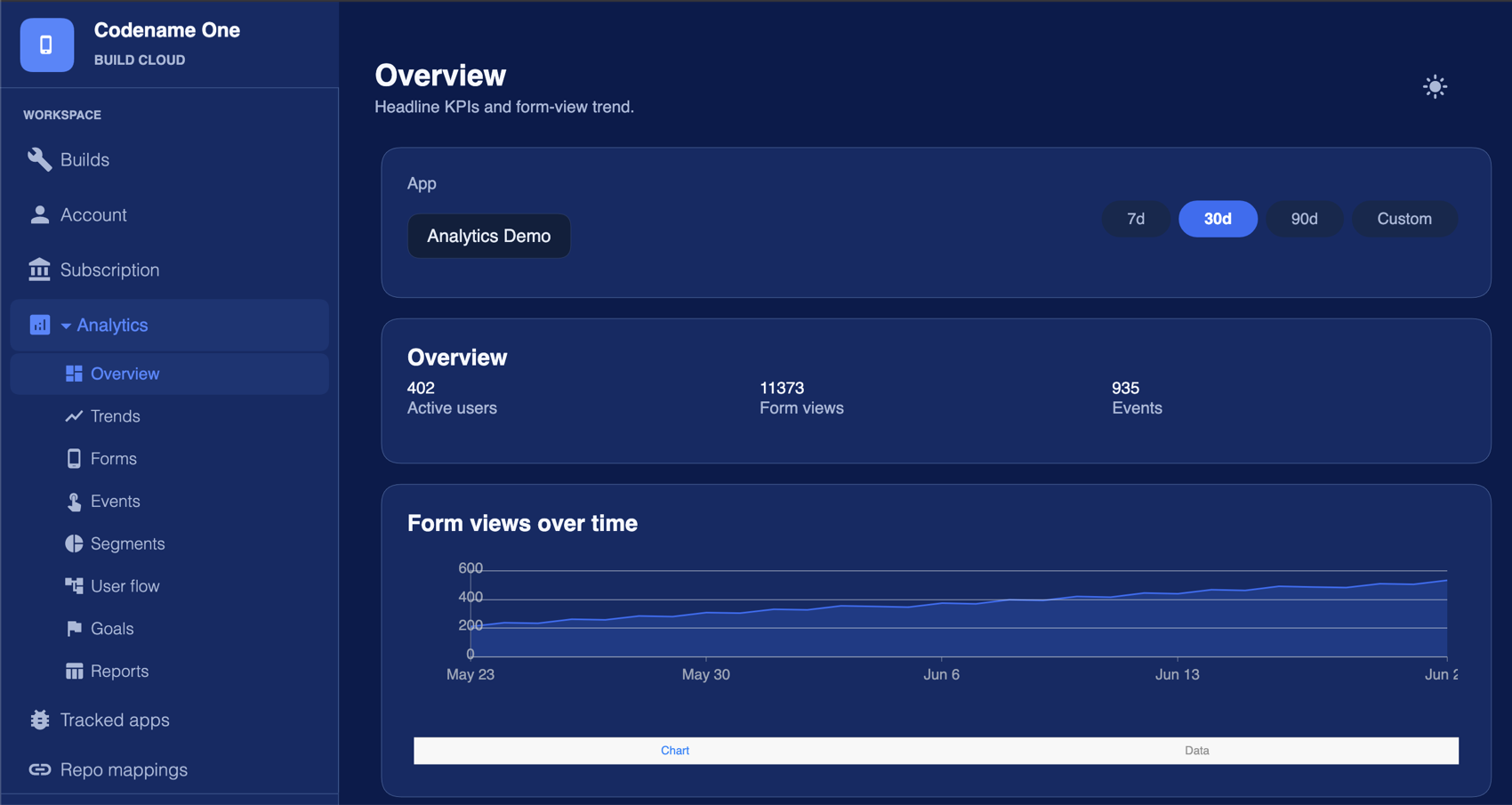
The console is more than a raw event log. The Overview gives you headline numbers, active users, form views and events, over a 7-, 30- or 90-day window, and the left nav opens Trends, Forms, Events, Segments, User flow, Goals, and Reports. Common events are understood out of the box: screen and form views are tracked for you, and a purchase event carrying a value parameter feeds revenue and funnel reporting without a custom dashboard. Goals let you mark the events that matter and track conversion against them, while the segment and user-flow views answer more involved questions than a flat counter can. All of it is in the console today.
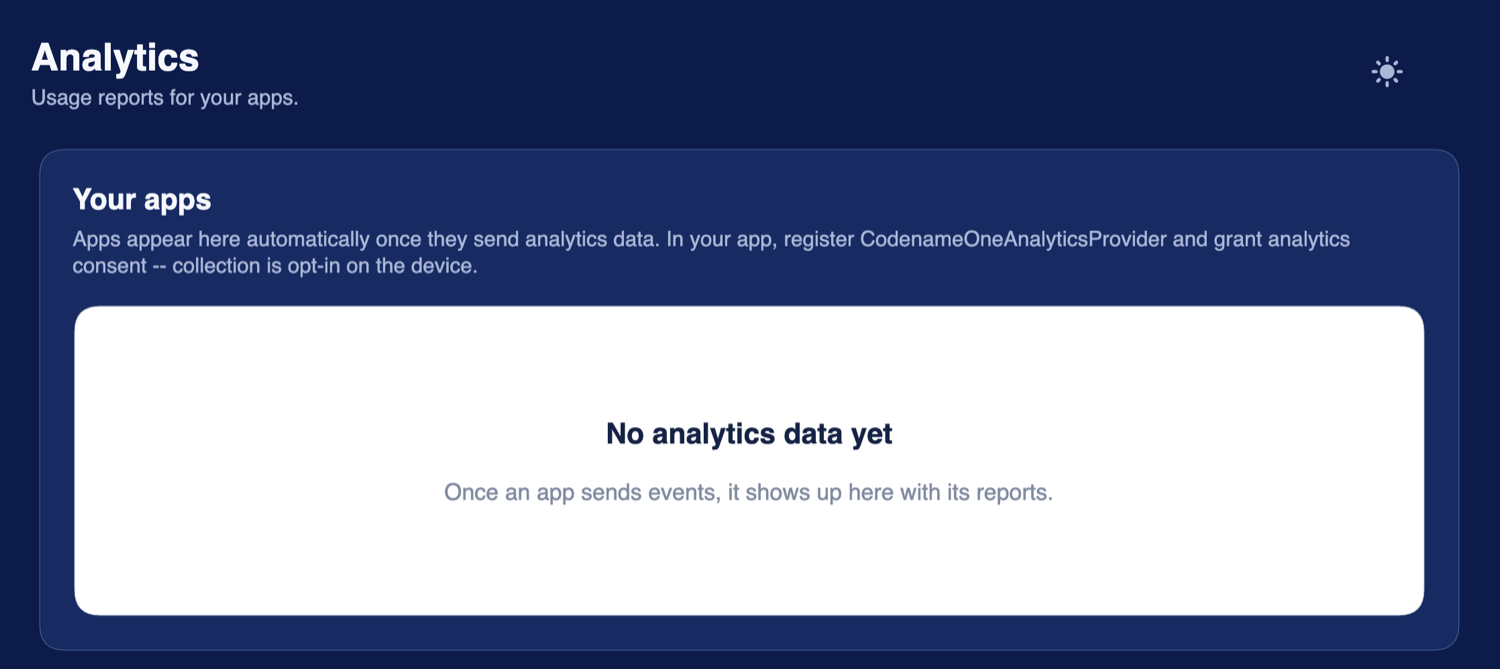
An app only shows up after it sends data, which only happens after the on-device consent gate opens:
The first-party provider is included with every paid Codename One subscription, down to the basic tier. What your plan changes is how long your data is retained, not whether you get analytics at all.
Migrating from the old service
The old AnalyticsService still works. It is deprecated, and it now delegates to the new API rather than carrying its own Google Analytics code, so existing apps keep running without a change. The UIBuilder analytics hook is unchanged too.
One detail you need to know: AnalyticsService.init() flips the facade to opt-out mode. The legacy API always reported immediately, and silently switching it to opt-in would have stopped data flowing for every app that relied on it. So legacy callers keep their old always-on behavior, while new code written against Analytics gets opt-in by default. Do not assume the new default applies to a project still calling the deprecated service.
The business-model thread
This is the shape every paid Codename One service takes, and Friday’s post is the longer argument for why. The analytics API is an open SPI in a framework that stays open, licensed under GPL with the Classpath Exception: point it at Matomo, at GA4, at Firebase, or at a provider you wrote in twenty lines, and the framework does not care. CodenameOneAnalyticsProvider is one optional implementation of that contract, batched to our cloud and included with every paid subscription down to the basic tier, and choosing it is what helps fund the next port and the next API. It is a better default for people who want consent handling done for them, not a toll gate on the open framework. If you would rather self-host Matomo, you lose nothing.
A tradeoff worth saying out loud
A consent gate that is off by default means you will measure less than an always-on tracker does. Some users will decline, and their sessions will not show up in your reports. That is the deliberate cost of the privacy posture, and if you need every event you should expect a gap versus the old behavior. The mechanisms here are concrete and limited: opt-in by default, a pseudonymous resettable client id, no hardware identifiers, and an on-device gate that runs before any provider. That is what the API gives you, and it is all it claims to give you.
Wrapping up
The new analytics API is one facade, a provider SPI, and a consent gate that runs first. It ships with five providers, keeps the deprecated service working through delegation, and is covered by 25 unit tests across consent gating, the providers, client id handling and the legacy facade. Pick the backend that fits your privacy stance, register it, and ask for consent before you report.
Discussion
Join the conversation via GitHub Discussions.